query: tag:development

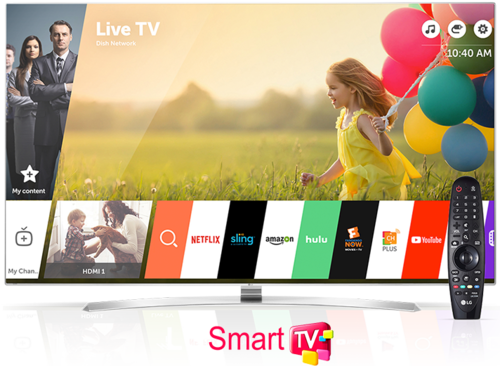
4 Way Technologies is one of the Leading Smart TV App Development Companies in the USA, UK & Australia which design & develops world-class applications for smart TV, Smart TV App Development, TV App Development etc. Our Smart TV Developer develops apps for Smart TV and also for other platforms including Android TV, Apple TV, LG TV, Roku TV etc applications for the leading clients. You can review some of our exciting work from here and you can also meet us in New Jersey state.

https://4waytechnologies.com/technology/smart-tv-app-development

image1.png

posted by 4waytechnologies 4waytechnologies on Mon 25 Feb 2019 at 07:46 with 0 comments

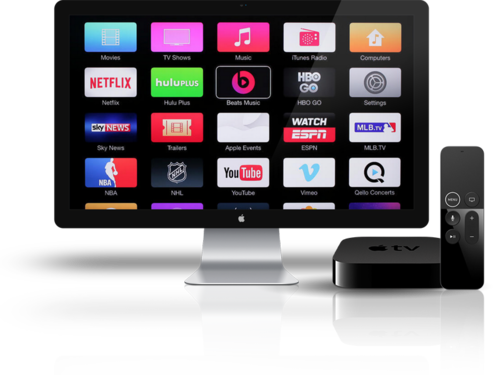
Get Top Apple TV Development services from 4 Way Technologies which works in the designing and development of Apple TV apps and we have top Apple TV Developer provide cutting edge services in the development of Apple TV applications and also in other development platforms be it TVOS Development, TVOS App Development, Apple TV App Development etc. Connect with us to develop your applications and you can also find us in Maryland state and other countries including the USA, UK & Australia.

https://4waytechnologies.com/technology/smart-tv-app-development/apple

image1.png

posted by 4waytechnologies 4waytechnologies on Mon 18 Feb 2019 at 10:17 with 0 comments

subviewはsuperviewのalphaを引き継いでしまう。たぶん。親のalphaが0.7で子が0.5の場合は0.7*0.5で子は0.35のalphaになる?
背景スケスケでコンテンツはクッキリ表示したい場合はどうすればいいか?と言うと、もう一つalpha 1.0のUIViewを用意し、そのviewをsuperviewにして子にaplha 0.7のbackground viewとalpha 1.0のcontens viewを加えればいい。

つまり最初のviewの構成が

ruby>>
UIView alpha 0.7
 UIView alpha 1.0 contens view
<<--
となっているところを
ruby>>
UIView alpha 1.0
 UIView alpha 0.7 background view
 UIView alpha 1.0 contents view
<<--
とする。

解決法がタイトルは嘘にしてしまったが、やりたい事はコレで実現できる。もちろんbackgournd viewを本来のあるべきサイズにしなきゃいけないけどね。

posted by bopper bopper on Sat 6 Feb 2010 at 20:20 with 0 comments

at iPhoneOS 3.1.2

shouldAutorotateToInterfaceOrientationじゃなくて任意のタイミングで
roateする方法を探していたんだけど、見かけるのはUIViewのtransformでrotateすることばかり。確かめてないけど。この方法だとUIViewControllerのinterfaceOrientationと齟齬も発生するじゃないかと思う。

それで無理くり何とかする方法を考案した。けど、この方法では(もう少し改善すればできるかもしれないが)重力方向への回転しかできない。
shouldAutorotateToInterfaceOrientation:を使ってrotateすのはいつもとどおり。だけど先に方向を決めておいてNSNotificationを投げて強制的にshouldAutorotateToInterfaceOrientation:を発生させることによって
任意のタイミングでviewを回転させる事ができる。

objective-c>>

  • (void)rotateNow{
    UIDevice *device = [UIDevice currentDevice];
    self.toRotate = device.orientation;
    NSNotification *notification = [NSNotification notificationWithName:@"UIDeviceOrientationDidChangeNotification" object:device];
    [[NSNotificationCenter defaultCenter] postNotification:notification];
    }

  • (BOOL)shouldAutorotateToInterfaceOrientation:(UIInterfaceOrientation)interfaceOrientation {
    if(self.toRotate){
    return interfaceOrient == self.toRotate;
    }else{
    return NO;
    }
    }
    <<--

こんな感じ。何をしたかったかと言うと向きが変わったときにいきなり回転させるんじゃなくて、ちょっとボタンをだして確認を取りたかった。だからタイミングだけずらして回転方向は重力方向だけでいいやって話しなんだけど。

もしかすると、このNSNotificationを作ってる部分でobject:deviceってUIDeviceを渡してる部分。このオブジェクトのプロパティorientationを任意の方向を返す様なオブジェクトを作ってViewControllerを更に騙すことができるならば、タイミングだけじゃなくて方向も変えれるんじゃないかな?そこまでは確認を取ってません。

まぁ何にせよ。かなりhackな方法だからOSのバージョン上がったら使えなくなるかもしれない。

posted by bopper bopper on Sun 31 Jan 2010 at 14:04 with 0 comments